



1. Log in to your account — You should see “Purchase License” button — PRESS BUTTON 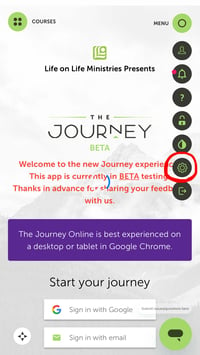
2. Pay with credit card (or add code if a Journey Group Leader (get from church)
3. Press on gear button on right side of screen
IF you do not see the gear button, contact Chana.
GO TO “Setting up your Group & Curriculum”
TROUBLESHOOTING
If having trouble logging in, first try deleting your cache (1.) and then reading these two (2., 3.) resources:
1. RESET CACHE:
— https://its.uiowa.edu/support/article/719
— https://docs.devolutions.net/portal/kb/general-knowledge/clear-browser-local-storage/

4221 W. Gulf to Lake Hwy
Lecanto, FL 34461
Phone: (352) 746-6200
Fax: (352) 746-6299
Email: info@sevenrivers.org
Office Hours:
M-F: 8:30 AM - 4:30 PM